
In this article
- Why ASO matters for streaming apps
- Streaming app keywords: how to choose them
- Where keywords go
- Store listing optimization: name, subtitle and description
- App screenshots and preview videos
- Ratings and reviews
- Localized listings for global growth
- Measure, test and repeat
- App store optimization for a streaming app on NibbleFlix
- Key takeaways
- Frequently asked questions
- What is ASO for video apps?
- How long does ASO take to show results?
- Should I localize my store listing for each country?
- Do ratings affect app store rankings?
You can have a great catalog and a polished app, but if viewers cannot find it in the store, growth stalls. App store optimization for a streaming app (ASO) is how you turn store search and browsing into a steady flow of installs, without paying for every one of them.
The short answer: app store optimization for a streaming app means choosing the right keywords, writing a clear name and subtitle, showing your content in screenshots and preview videos, earning good ratings, and localizing your listing for every market you target.
This guide covers each element, with tips for both the App Store and Google Play.
Why ASO matters for streaming apps
Many viewers discover streaming apps by searching for a genre, a type of show or a format, not a brand name. Searches for drama, anime, short drama or free movies are opportunities for any service that matches them.
Paid ads bring installs, but organic store traffic costs nothing per install and often brings higher-intent viewers. Good ASO also makes your paid campaigns cheaper, because a stronger listing converts more of the people your ads send. Pair it with the tactics in our guide on how to market a streaming app.
Streaming app keywords: how to choose them
Start with how viewers describe what they want, not how you describe your service. Build a list across four groups:
- Genre terms: romance drama, thriller series, anime, documentaries.
- Format terms: short drama, mini series, vertical drama, live TV.
- Benefit terms: free episodes, watch offline, no ads.
- Local terms: words in each market’s language, such as novelas in Latin America or Arabic series in MENA.
Prioritize keywords with real search volume where you can realistically rank. Long, specific phrases are often easier to win than broad terms dominated by the biggest services.
Where keywords go
On the App Store, the app name, subtitle and keyword field carry the most weight. On Google Play, the title, short description and full description are all indexed, so use your main keywords naturally in the description too. Do not use competitor brand names in your metadata; both stores can reject or remove listings that do.
Store listing optimization: name, subtitle and description
Store listing optimization starts with three pieces of text:
- App name: your brand plus one strong keyword, within the character limit.
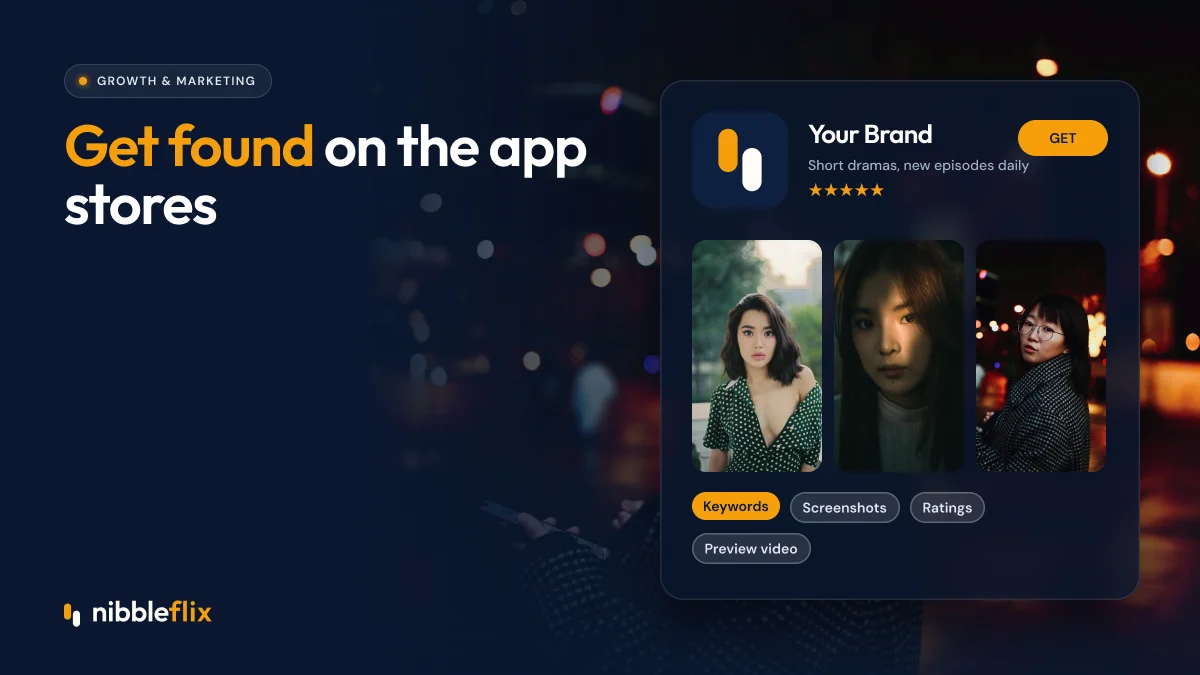
- Subtitle or short description: one clear promise, such as “Short dramas, new episodes daily”.
- Description: the first lines matter most. Explain what viewers get, how often new content arrives and how pricing works.
Be honest about pricing. If episodes unlock with coins or a VIP pass, say so. Surprised viewers leave bad reviews.
App screenshots and preview videos
App screenshots are where most installs are won or lost. Many visitors decide from the first two or three images without reading anything.
| Asset | What works for streaming apps | Common mistake |
|---|---|---|
| Icon | Simple, bold, readable at small size | Too much detail or text |
| First screenshot | Strongest content plus a short benefit headline | A login or settings screen |
| Screenshots 2 to 5 | Genres, player, downloads, devices, pricing | Repeating the same message |
| Preview video | Fast cuts of real content in the first seconds | Slow logo intros |
| Feature graphic (Google Play) | Key art that matches your brand | Cluttered text |
For micro-drama apps, show the vertical player and cliffhanger moments. For TV-focused services, show the app on a television to signal big-screen viewing. Our micro-drama solution page shows the vertical 9:16 player with swipe navigation.
An AI trailer generator can help here. NibbleFlix creates trailers of about two minutes from your content, which you can cut into short preview videos. See the AI streaming tools.
Ratings and reviews
Ratings affect both ranking and conversion. To improve them:
- Ask for a rating after a positive moment, such as finishing an episode or a series.
- Never ask during playback, sign-up or payment.
- Reply to negative reviews quickly, explain fixes and invite viewers back.
- Fix the issues behind repeated complaints, such as buffering or confusing pricing.
Retention features help too. Viewers who enjoy daily check-in rewards and timely new-episode push alerts tend to leave better reviews.
Localized listings for global growth
Localize your listing for each market you target: name, subtitle, keywords, description and screenshots. A Spanish listing for Mexico, Portuguese for Brazil, Arabic for Saudi Arabia, and Korean or Japanese for those markets will rank for local searches and convert better.
Both stores also let you create custom listings or product pages for different audiences or campaigns. Use them to match the message of your ads, for example a romance-focused page for a romance campaign.
Measure, test and repeat
ASO is never finished. Track a few numbers every month: impressions in search, product page views, conversion rate from page view to install, and keyword rankings for your priority terms.
Use the stores’ built-in testing tools to compare icons, screenshots and short descriptions. Change one element at a time, so you know what made the difference. Refresh screenshots when you add big new series, and update listings for seasonal moments such as holidays or Ramadan in MENA.
App store optimization for a streaming app on NibbleFlix
NibbleFlix is a white-label platform, so your apps are published under your own developer accounts with your own store listings. That means every rating, review and ranking gain builds your brand, not a vendor’s. You can launch in 7 days on iOS, Android, web, PWA and smart TVs, with no code needed. AI metadata generation also helps you produce consistent titles, descriptions and tags in many languages.
Key takeaways
- Choose keywords by genre, format, benefit and local language.
- Your name, subtitle and first screenshots do most of the work.
- Show real content and be honest about pricing.
- Ask for ratings at happy moments and answer every negative review.
- Localize listings and use custom pages to match campaigns.
Want store-ready apps under your own brand? Book a demo and see the launch process.
Frequently asked questions
What is ASO for video apps?
ASO for video apps is the work of improving your App Store and Google Play listings so more people find and install your streaming app. It covers the app name, subtitle, keywords, description, icon, screenshots, preview video, ratings and localized listings, and it is tested and improved continuously after launch.
How long does ASO take to show results?
Changes to screenshots and icons can lift conversion within days once enough visitors see them. Keyword ranking changes usually take a few weeks to settle, because stores need time to reindex and measure how new visitors respond. Plan ASO as a monthly routine of testing and small improvements.
Should I localize my store listing for each country?
Yes, for every market you actively target. Localized titles, keywords and screenshots help you rank for local search terms and convert better. Viewers in Spain, Brazil, Saudi Arabia or Korea search in their own language and respond to screenshots showing content and interface text they recognise.
Do ratings affect app store rankings?
Ratings and reviews influence both ranking and conversion. A higher average rating makes people more likely to install, and stores consider quality signals when ranking apps. Ask for ratings at happy moments, such as after finishing an episode, and reply to negative reviews quickly and helpfully.