
In this article
- Before day 1: groundwork for streaming app marketing
- How to market a streaming app: the 90-day plan
- Days 1 to 30: the launch campaign
- Social clips that point to the app
- Creators and communities
- Launch offers
- Days 31 to 60: learn and fix
- Days 61 to 90: user acquisition streaming at scale
- OTT marketing strategy by region
- Tools that make marketing easier
- Key takeaways
- Frequently asked questions
- How much should I spend marketing a new streaming app?
- What is the best channel to market a streaming app?
- How important is app store optimization at launch?
- How do I keep viewers after the launch campaign?
Launching your app is the start, not the finish. Thousands of video apps sit in the stores with almost no viewers, and the difference between them and the ones that grow is usually marketing, not content quality. If you are wondering how to market a streaming app on a realistic budget, a clear 90-day plan beats scattered effort.
The short answer: market a new streaming app by preparing your store pages and audience before launch, driving a focused launch campaign through social clips, creators and partners, then spending the next two months on retention, referrals and paid acquisition you can measure.
Here is a practical 90-day plan you can adapt for any region or genre.
Before day 1: groundwork for streaming app marketing
The two to four weeks before launch decide how fast you grow afterward. Use them to build assets and an audience.
- Define your viewer. Write down who they are, where they spend time online and what they watch today.
- Prepare store pages. Clear title, strong screenshots, a short preview video and keywords in each launch language. See our guide to app store optimization for streaming apps.
- Build a waiting list. A simple landing page with an email sign-up gives you an audience to notify on launch day.
- Cut clips. Prepare 20 to 30 short vertical clips from your best content for social channels.
- Line up partners. Creators, community groups, clubs or brands that already reach your audience.
Also set up tracking before launch. Decide which numbers you will watch each week, such as installs, sign-ups, first plays and paying viewers, and make sure each campaign link can be traced. Knowing how to market a streaming app well depends on seeing which efforts actually bring paying viewers, so measurement comes first.
How to market a streaming app: the 90-day plan
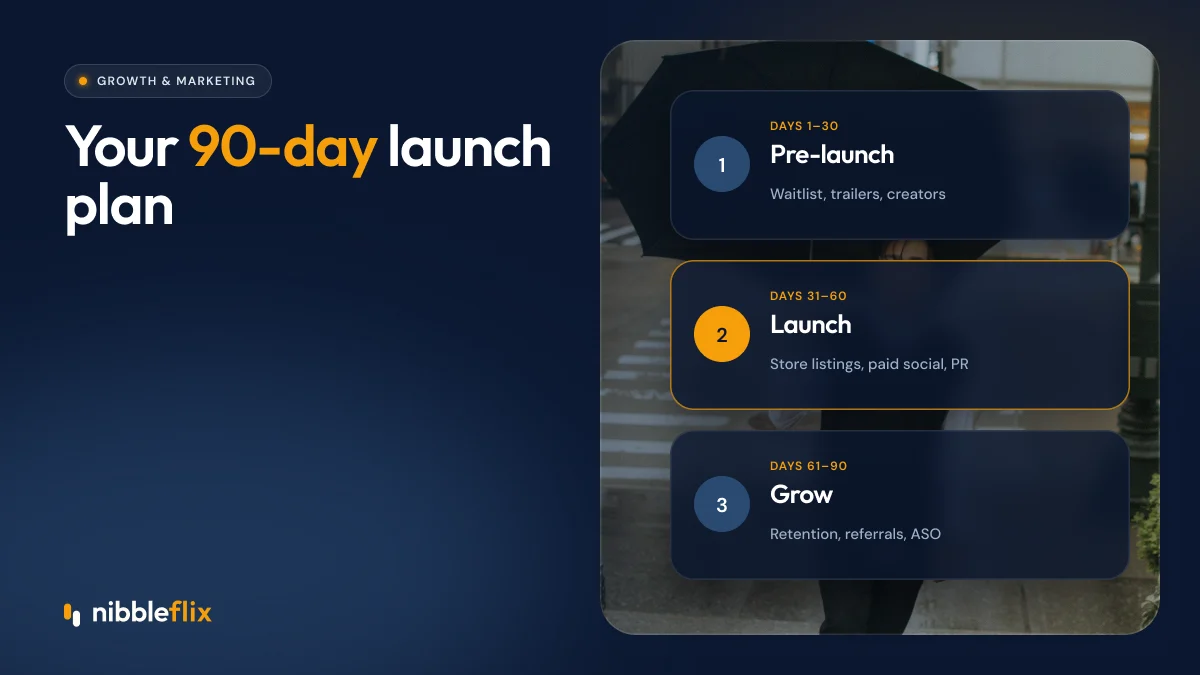
| Phase | Days | Goal | Main activities |
|---|---|---|---|
| Launch | 1 to 30 | First viewers and proof of demand | Launch campaign, creator posts, waiting list emails, social clips |
| Learn | 31 to 60 | Find what converts and retains | Test channels, fix onboarding, refine pricing and offers |
| Scale | 61 to 90 | Grow efficiently | Increase spend on winning channels, referrals, win-back campaigns |
Days 1 to 30: the launch campaign
Your launch campaign should concentrate attention in a short window. App stores and social algorithms both respond to bursts of activity.
Social clips that point to the app
Short vertical clips on TikTok, Instagram Reels and YouTube Shorts are the main discovery channel for many streaming apps, especially for drama and entertainment. End each clip at a moment that makes people want the next scene, and point them to the app to keep watching.
Creators and communities
Partner with creators whose audience matches yours. For niche services, community leaders such as coaches, pastors or club managers can be more effective than big influencers. Give them a unique link or promo code so you can track results.
Launch offers
A free first week, bonus coins or discounted annual plans give people a reason to act now. Keep the offer simple and time-limited.
Days 31 to 60: learn and fix
By now you have data. Use it before spending more.
- Check the funnel. Installs, sign-ups, first plays, first payments. Find the biggest drop.
- Fix onboarding. If people install but do not watch, shorten sign-up and show your best titles first.
- Compare channels. Measure cost per paying viewer, not just cost per install.
- Test offers. Try different free preview lengths, weekly passes or ad-supported tiers.
- Turn on retention tools. New-episode push alerts and daily check-in rewards bring viewers back without extra ad spend.
Because you own the app, you own this data. Our article on first-party data in streaming explains why that matters.
Days 61 to 90: user acquisition streaming at scale
Now scale what works. Increase budget on the channels with the best cost per paying viewer and pause the rest.
- Paid social and app install ads. Use your best-performing clips as ad creative and refresh them often.
- Referral rewards. Give viewers coins or free days for inviting friends.
- Win-back campaigns. Email or notify lapsed viewers when a new series launches.
- Localization. Add subtitles or dubbing to reach neighboring markets with the same content.
Attention is there to win. Sensor Tower found that average daily time in short drama apps reached 25 minutes by April 2026, and nearly 40 minutes a day in Southeast Asia. Viewers who form a habit become your cheapest marketing channel through word of mouth.
OTT marketing strategy by region
Adapt your channels to each market. In Latin America and Southeast Asia, short-form social video and creators drive much of discovery. In the Gulf, premium positioning and Arabic-language creative matter. In Europe, community partnerships and smart TV visibility help long-form services, while GDPR shapes how you collect emails and run retargeting. In Korea and Japan, high production values in creative are expected.
Tools that make marketing easier
Marketing moves faster when the product supports it. With NibbleFlix, your app launches under your own brand and store listings, and AI trailer generation produces a trailer in about two minutes for social posts and store previews. AI subtitles in 12 languages and AI dubbing help you test new regions. Promotional offers, push alerts and check-in rewards are managed from the admin dashboard. See all the AI streaming tools.
Key takeaways
- Prepare store pages, clips, a waiting list and partners before launch.
- Concentrate your launch campaign in the first 30 days.
- Use days 31 to 60 to fix the funnel and find the channels that convert.
- Scale winning channels, referrals and win-backs in days 61 to 90.
- Adapt creative and channels to each region.
Planning a launch and want the app ready in days, not months? Book a demo and we will walk you through it.
Frequently asked questions
How much should I spend marketing a new streaming app?
Start small and spend more only on channels that bring paying viewers at a cost you can recover. Many new services test with a modest budget across a few channels in the first month, then concentrate spend on the winners. Track cost per paying viewer, not just installs.
What is the best channel to market a streaming app?
For most entertainment apps, short vertical clips on social platforms and creator partnerships drive the most discovery. Niche services often do better through communities, clubs and partners. Test a few channels early and compare cost per paying viewer before committing larger budgets.
How important is app store optimization at launch?
Very important. Your store page is where viewers decide to install. A clear title, strong screenshots, a preview video and relevant keywords in each language improve conversion from every channel, paid or organic. Review and update your store pages regularly as you learn what works.
How do I keep viewers after the launch campaign?
Release new content on a steady schedule, send new-episode push alerts, use daily check-in rewards and offer flexible plans. Run win-back campaigns for viewers who lapse. Retention lowers your effective acquisition cost, because loyal viewers pay longer and recommend your app to friends.