
In this article
- What is a progressive web app for streaming?
- What native iOS and Android apps add
- PWA vs native app: side-by-side comparison
- When to launch a PWA first
- When to launch native apps first
- Why most streaming services run both
- Streaming app platforms that cover web and native
- Key takeaways
- Frequently asked questions
- Can a PWA play video as well as a native app?
- Is a PWA cheaper than native apps?
- Can a PWA appear in the App Store or Google Play?
- Do push notifications work in a PWA?
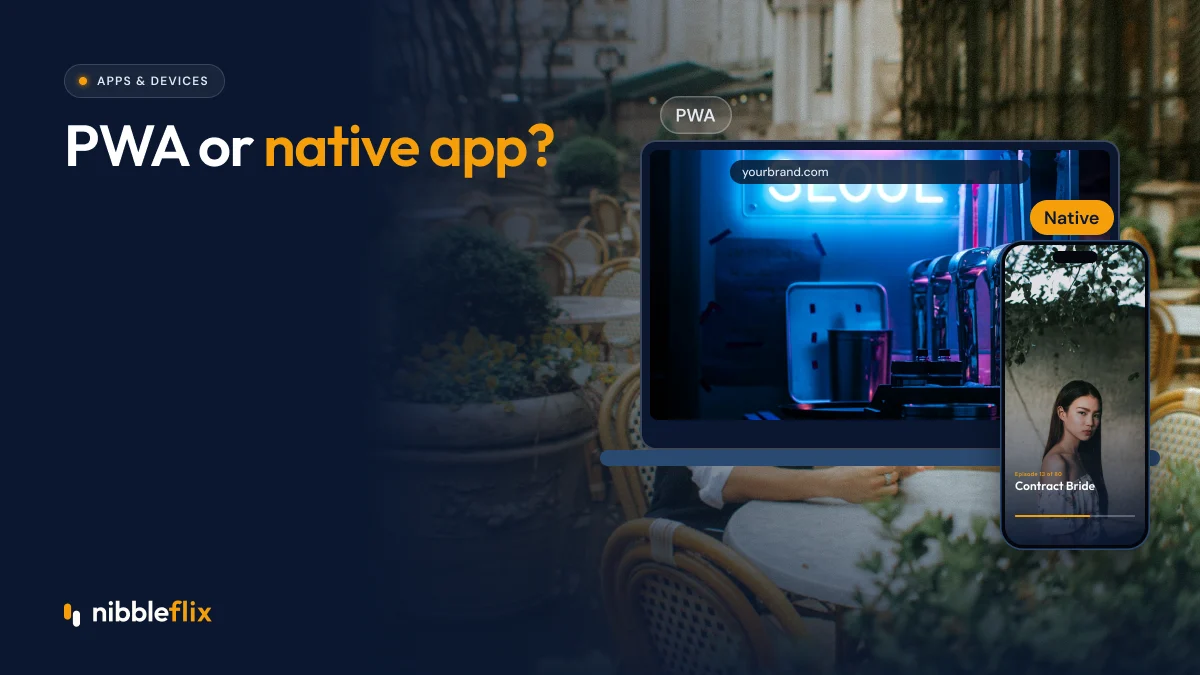
Founders launching a streaming service often ask the same question early on: PWA vs native app, which should come first? A progressive web app runs in the browser and can be added to the home screen. Native apps are installed from the App Store and Google Play.
The short answer: a PWA is the fastest way to reach viewers from your website and social links, while native iOS and Android apps win on discovery, push alerts, payments and viewing comfort, so most serious streaming services end up running both.
This guide compares the two on the things that matter for a streaming business and explains when each makes sense as your first move.
What is a progressive web app for streaming?
A progressive web app (PWA) is a website that behaves like an app. Viewers open a link, watch immediately, and can add an icon to their home screen. There is no store download and no review process.
For progressive web app streaming, that means a viewer who taps a link in a social ad can be watching in seconds. That matters for short-form and micro-drama services, where many viewers arrive from a clip on social media and decide quickly whether to keep watching.
A PWA is also a strong web streaming app for desktop and laptop viewers, who are still a real audience for long-form content in Europe and Latin America.
What native iOS and Android apps add
Native iOS and Android apps are built for each operating system and distributed through the stores. They take longer to launch because of store review, but they add several things a browser cannot fully match:
- Store discovery: viewers search the App Store and Google Play for apps like yours.
- Reliable push alerts: new-episode notifications bring viewers back.
- Native payments: one-tap purchases through Apple and Google billing.
- Offline downloads: important for commuters and markets with patchy mobile data.
- Casting and background audio: deeper integration with the device.
- Trust: store ratings and reviews reassure first-time viewers.
PWA vs native app: side-by-side comparison
| Factor | PWA | Native iOS and Android |
|---|---|---|
| Time to launch | Fast, no store review | Slower, store review required |
| Discovery | Search engines, social and links | App Store and Google Play search |
| Payments | Web payments, no store commission | Store billing, commission of up to 30% |
| Push notifications | Supported, less consistent | Reliable and expected |
| Offline viewing | Limited | Full download support |
| Updates | Instant | App updates go through review |
| Viewer trust | Depends on your brand | Helped by ratings and reviews |
When to launch a PWA first
A PWA first makes sense when speed matters more than store presence. Examples include:
- Testing a new content idea with paid social traffic before a full launch.
- Serving an existing audience that already visits your website, such as a broadcaster or publisher.
- Selling subscriptions on the web, where you set your own pricing without store fees.
- Reaching viewers on shared or low-storage phones, common in parts of Latin America and Southeast Asia.
The trade-off is retention. Without store presence and reliable push, it is harder to bring viewers back for the next episode.
When to launch native apps first
Native apps come first when your model depends on habit and in-app purchases. Micro-drama services are the clearest example. Viewers binge episodes in a vertical player, unlock the next one with coins or a VIP pass, and come back when a push alert says a new episode is out. You can read more in our guide to how micro-drama apps make money.
Native apps are also the better first move if you expect most traffic from app store search, or if offline viewing is important to your audience.
Why most streaming services run both
In practice, the PWA vs native app question is less about choosing one and more about sequencing. Successful services usually combine:
- A PWA or responsive web app to convert traffic from search, social and ads.
- Native iOS and Android apps for store discovery, push alerts and in-app purchases.
- Smart TV apps for long sessions in the living room.
The key is that all of them share the same accounts, catalog and entitlements. A viewer who subscribes on the web should be able to sign in on their phone and TV without paying again. Our overview of how to launch an OTT app covers how these pieces fit together.
Streaming app platforms that cover web and native
The old reason to pick one was cost. Building a PWA, an iOS app and an Android app separately meant three projects. Modern streaming app platforms remove that trade-off by generating every app from one backend.
NibbleFlix is a white-label streaming platform that launches your branded apps on iOS, Android, responsive web and PWA, plus smart TV apps for Apple TV, Android TV, Amazon Fire TV, Roku, Samsung and LG. See the full list on the supported devices page.
You can go from sign-up to App Store and Google Play submission in 7 days, with no code and no in-house tech team. Monetization covers subscriptions, ads, rentals, pay-per-episode, coins and in-app purchases, and you can combine them in one app. Explore the full feature set to see what each app includes.
Key takeaways
- A PWA is the fastest route to viewers from links, search and social traffic.
- Native apps win on store discovery, push alerts, offline viewing and in-app purchases.
- Micro-drama and episodic services usually need native apps from day one.
- Most services run both, with shared accounts and entitlements across every app.
- A white-label platform removes the cost trade-off by building all apps from one backend.
Not sure which to launch first? Book a demo and we will help you plan your web, mobile and TV launch.
Frequently asked questions
Can a PWA play video as well as a native app?
For most on-demand viewing, yes. Modern browsers play adaptive streams well and support common DRM systems. Native apps still do better with offline downloads, background playback, casting and some device features. The gap has narrowed, but heavy mobile viewers usually prefer an installed app from the store.
Is a PWA cheaper than native apps?
A single web codebase is usually cheaper than separate iOS and Android builds. There is also no store commission on payments taken on the web. With a white-label platform, though, native apps come from the same backend, so the cost difference between PWA and native shrinks considerably.
Can a PWA appear in the App Store or Google Play?
Not on its own. Viewers find a PWA through your website, search and links, then add it to their home screen. Store discovery and store search need native apps. That is why many services use the PWA for web traffic and native apps for store reach and ratings.
Do push notifications work in a PWA?
Web push works in modern browsers, including on iPhone for web apps added to the home screen, though support and opt-in behaviour vary by platform. Native push notifications are still more reliable for new-episode alerts, which matter a lot for episodic and micro-drama services.