
In this article
- Why TV apps matter for streaming businesses
- Building an Android TV app for streaming
- What Google expects
- Building a tvOS app for Apple TV
- Building a Fire TV app
- Comparing TV platforms at a glance
- TV app store submission: common reasons for rejection
- One backend for every TV app
- Key takeaways
- Frequently asked questions
- Is an Android TV app the same as a Google TV app?
- Can one Android app run on phones and TVs?
- Do Fire TV apps need a separate build?
- Which TV platform should I launch on first?
Most streaming services start on phones, but the TV is where viewers settle in for long sessions. If you are planning an android tv app for streaming, it usually makes sense to plan Apple TV and Fire TV at the same time, because the content, accounts and payments are shared.
The short answer: Android TV (including Google TV), Apple TV and Fire TV each need a dedicated TV build and a separate store submission, but all three can run on one backend, one catalog and one admin dashboard.
This guide compares the three platforms, explains what each store looks for, and shows how to avoid running three separate engineering projects.
Why TV apps matter for streaming businesses
TV viewing sessions tend to be longer, and the big screen is where families and groups watch together. For ad-supported services, connected TV inventory is often the most valuable. For subscription services, a TV app gives viewers a reason to keep paying.
The market for each platform varies by country. Android TV and Google TV are common on smart TVs and operator set-top boxes in Europe, Latin America and Asia Pacific. Apple TV is strong among premium households. Fire TV sticks are popular as a low-cost upgrade for older TVs.
Building an Android TV app for streaming
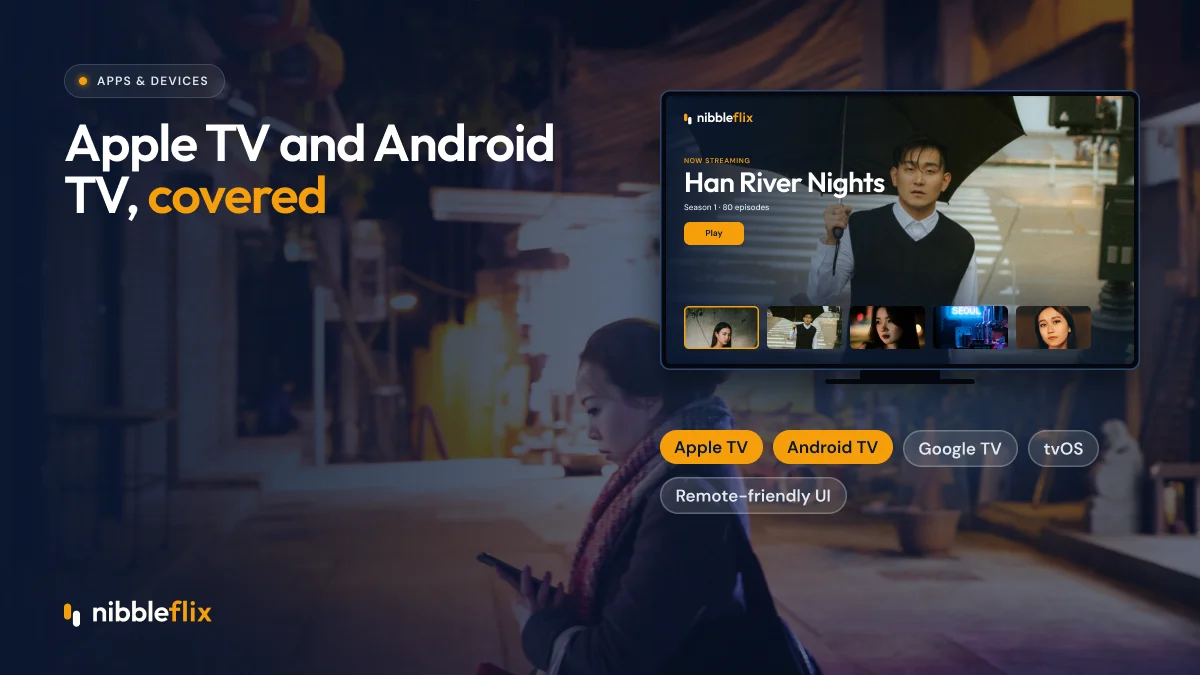
Android TV is Google’s TV operating system, and Google TV is the newer interface that sits on top of it. One Google TV app build covers both. Android TV runs on smart TVs from many manufacturers and on operator set-top boxes, which makes it one of the widest-reaching TV platforms outside the US.
What Google expects
- A leanback layout designed for a remote, not a touchscreen.
- A TV banner and launcher artwork in the correct sizes.
- Full navigation with a D-pad: every button reachable without touch.
- Correct handling of the back and home buttons.
- Integration with system features such as recommendations and search where possible.
Google reviews TV apps against its TV quality guidelines, separately from phone apps. An app that works on a phone but is clumsy with a remote will usually be sent back.
Building a tvOS app for Apple TV
A tvOS app runs on Apple TV hardware and is distributed through the App Store. Apple’s review process is known for being thorough, and it applies the same guidelines on in-app purchases and subscriptions as on iPhone and iPad.
Apple TV viewers expect a polished, focus-based interface where the selected tile grows and moves with the remote’s touch surface. Playback should use the native player experience so subtitles, audio tracks and picture-in-picture behave as viewers expect.
Because purchases made inside the app use Apple’s billing, plan your pricing to account for a store commission of up to 30%. Our guide to in-app purchases for streaming apps covers this in more detail.
Building a Fire TV app
Fire TV runs Fire OS, which is based on Android. That means an Android TV build can often be adapted for Fire TV with a smaller amount of extra work. Distribution goes through the Amazon Appstore, which has its own review process and in-app purchase rules.
Fire TV sticks are a popular low-cost way for viewers to add streaming to an older television, so the platform can reach households that do not own a smart TV. Test on older, lower-powered sticks as well as new models.
Comparing TV platforms at a glance
| Platform | Store | Build base | What to watch for |
|---|---|---|---|
| Android TV / Google TV | Google Play | Android TV app | TV quality review, D-pad navigation, banner artwork |
| Apple TV | App Store | tvOS app | Strict review, Apple billing rules, focus-based UI |
| Fire TV | Amazon Appstore | Fire OS (Android-based) | Amazon billing, older device performance |
| Roku | Roku store | BrightScript and SceneGraph | Certification checks, deep linking |
| Samsung and LG | Manufacturer stores | Tizen and webOS web apps | Per-manufacturer QA and approval |
TV app store submission: common reasons for rejection
TV app store submission has its own pitfalls. These are the issues that cause most delays:
- Touch-only controls. A button that cannot be reached with the remote is a common cause of rejection.
- Missing or wrong artwork. Each store asks for specific banner and icon sizes.
- Login friction. Typing a password with a remote is painful. Offer sign-in by code or QR on a phone.
- Purchase flows that bypass store rules. Each store has rules on how digital content is sold in the app.
- Broken demo accounts. Reviewers need working credentials to test paid content.
Many of these are the same issues covered in our guide to getting your streaming app approved.
One backend for every TV app
The biggest cost of TV apps is not the first build. It is maintaining several codebases, each needing its own updates, bug fixes and store submissions every time you add a feature.
NibbleFlix is a white-label streaming platform that publishes your branded apps on iOS, Android, responsive web, PWA and smart TVs for Apple TV, Android TV, Amazon Fire TV, Roku, Samsung and LG. You can see the full list on the devices page.
Everything runs from one admin dashboard. You upload content, set prices and schedule releases once in the CMS, and every app updates. Store listings are in your name, viewer data is yours, and no code or in-house tech team is needed. For services with a large catalog, the entertainment OTT solution covers the full TV experience, including subscriptions, ads and rentals.
Key takeaways
- Android TV and Google TV share one app build; Fire TV can often be adapted from it.
- Apple TV needs a separate tvOS app and follows App Store billing rules.
- Remote navigation, artwork and sign-in flows cause most TV rejections.
- Plan an android tv app for streaming alongside Apple TV and Fire TV so accounts and pricing match.
- One backend and one dashboard keep TV apps from turning into separate projects.
Ready to put your service on every big screen? Book a demo and see the TV apps in action.
Frequently asked questions
Is an Android TV app the same as a Google TV app?
Mostly, yes. Google TV is an interface that runs on top of Android TV, and both use the same app built for the Android TV platform. A well-built Android TV app for streaming will work on both, as long as it follows Google’s TV design and quality guidelines for the big screen.
Can one Android app run on phones and TVs?
The code can be shared, but the experience cannot. TV apps need remote-friendly navigation, larger type and a leanback layout, and Google reviews TV apps separately. Most services ship a dedicated TV build that shares the same backend, accounts and catalog as the mobile app.
Do Fire TV apps need a separate build?
Fire TV runs Fire OS, which is based on Android, so an Android TV app can often be adapted rather than rebuilt. You still submit it through the Amazon Appstore and test it on Fire TV devices. Amazon has its own rules for in-app purchases and listings.
Which TV platform should I launch on first?
Look at device share in your target countries and where your audience already watches. Many services launch Android TV and Fire TV together because the work overlaps, then add Apple TV, Roku, Samsung and LG. A white-label platform removes the trade-off by launching all of them at once.