
In this article
- Why metadata is the hidden key to discovery
- What AI video metadata tools can generate
- Automatic content tagging vs manual tagging
- Content discovery on OTT: where metadata pays off
- In-app search
- Recommendations and personalization
- Merchandising and home screens
- SEO for video libraries
- How to roll out video metadata generation
- Regional and cultural considerations
- AI video metadata on NibbleFlix
- Key takeaways
- Frequently asked questions
- What is AI video metadata?
- How accurate is AI content tagging?
- Does better metadata increase viewing?
- Can AI generate metadata in other languages?
Viewers can only watch what they can find. In a streaming app, discovery depends on metadata: titles, descriptions, genres, moods, cast, keywords and images. Most libraries have gaps, and filling them by hand takes months. AI video metadata tools close those gaps in days.
The short answer: AI video metadata tools analyze each title’s audio, visuals and transcript to generate descriptions, genres, moods, keywords and other tags automatically, which improves in-app search, recommendations and SEO when combined with a quick human review.
This guide explains why metadata matters, what AI can generate, and how to roll it out across your library.
Why metadata is the hidden key to discovery
Every discovery feature in a streaming app runs on metadata. Search matches what people type against titles and tags. Recommendation rows group content by genre, mood and theme. Home screen rails such as “Feel-good comedies” or “Dark thrillers” only work if titles are tagged that way.
When metadata is thin, good content gets buried. A great episode with a blank description and a single genre tag will rarely surface, no matter how strong it is. For FAST channels, the same data powers your program guide, which our guide to building a FAST channel EPG covers in detail.
What AI video metadata tools can generate
Modern tools combine speech recognition, image analysis and language models. Typical outputs include:
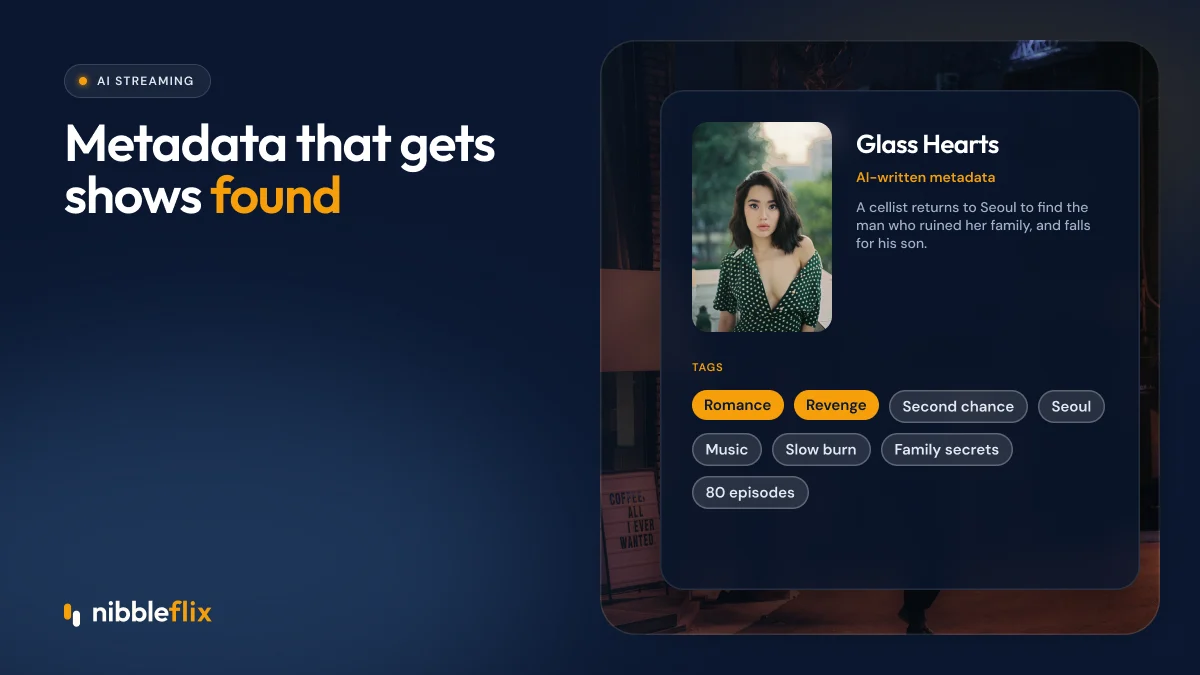
- Synopses at several lengths, from a one-line hook to a full paragraph.
- Genres and sub-genres, such as romantic comedy, revenge drama or nature documentary.
- Moods and tone, such as uplifting, tense, cozy or dark.
- Themes and keywords, such as office romance, family secrets or street food.
- Content descriptors that flag violence, language or mature themes to help with age ratings.
- Translated metadata for each market you serve.
- Thumbnail suggestions from frames with clear faces and strong composition.
Automatic content tagging vs manual tagging
| Factor | AI tagging | Manual tagging |
|---|---|---|
| Speed | Whole library in days | Months for large libraries |
| Consistency | Same rules applied every time | Varies by person and day |
| Depth | Many tags per title, including moods and themes | Often limited to genre and cast |
| Nuance | Can miss cultural context or subtext | Strong with experienced editors |
| Languages | Generates and translates at once | Needs translators per language |
The best results come from AI doing the first pass and editors refining the most-watched titles.
Content discovery on OTT: where metadata pays off
In-app search
Viewers rarely type an exact title. They search for an actor, a theme or a vague idea like “office romance”. Rich keywords and synonyms help search return useful results instead of an empty screen.
Recommendations and personalization
Recommendation engines rely on knowing what each title is like. Mood and theme tags let you recommend “more like this” even for new titles with no viewing history. See our guide to personalized recommendations for OTT.
Merchandising and home screens
Editors can build themed rails in minutes when tags are reliable: “Short dramas under 2 minutes”, “Korean romance”, “Family movie night”. Seasonal rails for Ramadan, Lunar New Year or Christmas become easy to assemble.
SEO for video libraries
If your web app has public title pages, good descriptions and structured data help those pages rank in search engines. Unique, descriptive synopses work far better than one series blurb copied across every episode.
How to roll out video metadata generation
- Audit what you have. Export your catalog and count missing fields: descriptions, genres, images, ratings and languages.
- Agree on a taxonomy. Define the genres, moods and themes you want to use so tags stay consistent.
- Run AI on the whole library. Generate descriptions and tags for every title, including old ones.
- Review by priority. Check your top 10 to 20 percent of titles by viewing first, then spot-check the rest.
- Localize. Generate metadata in each language you serve and have native speakers review samples.
- Measure. Track search success, click-through on rails and plays per title before and after.
- Automate new uploads. Make AI metadata part of your publishing workflow so the library never falls behind again.
Regional and cultural considerations
Tags that make sense in one market can confuse another. “Telenovela” means something specific to viewers in Mexico and Brazil. Korean and Japanese drama fans use their own genre labels, and MENA audiences may expect family-friendly flags to be clear and accurate. Have local editors check your taxonomy, not just the translations.
Be careful with content descriptors too. AI can help flag mature themes, but age ratings carry legal and platform requirements in many countries, so a person should confirm them.
AI video metadata on NibbleFlix
NibbleFlix includes AI metadata generation as part of its AI streaming tools, alongside AI subtitles in 12 languages, AI dubbing and AI trailer generation. You upload episodes, generate and edit metadata, set prices and schedule releases from the admin dashboard and CMS, all without code. If you are moving an existing library, our migration service brings your content across without viewer downtime, and AI tagging can enrich it along the way.
Key takeaways
- Search, recommendations, home screens and SEO all depend on metadata.
- AI can generate synopses, genres, moods, keywords and translations at library scale.
- Agree on a taxonomy first, then review your most-watched titles by hand.
- Make AI tagging part of every new upload so gaps never return.
Curious how much better your library could look with richer tags? Book a demo and we will run AI metadata on a sample of your titles.
Frequently asked questions
What is AI video metadata?
AI video metadata is descriptive information about a video, such as its synopsis, genre, mood, keywords and content warnings, generated automatically by AI. The tools analyze the transcript, visuals and audio of each title, then produce tags and text that power search, recommendations, program guides and web pages for your streaming service.
How accurate is AI content tagging?
AI tagging is usually accurate for genres, topics and keywords, and very consistent across large libraries. It can miss subtext, humor or cultural nuance, and age-related descriptors should always be confirmed by a person. Reviewing your most-watched titles and spot-checking the rest keeps accuracy high at low cost.
Does better metadata increase viewing?
Better metadata makes titles easier to find in search, more likely to appear in relevant recommendation rows and easier to merchandise on home screens. That generally leads to more titles being discovered and played. Measure search success and plays per title before and after enrichment to see the effect on your service.
Can AI generate metadata in other languages?
Yes. Many AI tools generate synopses and tags in several languages at once, which saves time when launching in new markets. Have native speakers review a sample in each language, since translated genre labels and expressions do not always match how local viewers describe content.