
In this article
- How AI subtitles for video work
- Automatic subtitles vs human subtitling
- Where AI captioning works well
- Where AI subtitles still slip
- Tone, slang and humor
- Names, places and invented terms
- Overlapping speech and noisy scenes
- Right-to-left and complex scripts
- A review workflow for multilingual subtitles
- Subtitle translation, dubbing or both?
- AI subtitles for video on NibbleFlix
- Key takeaways
- Frequently asked questions
- Are AI subtitles accurate enough for streaming?
- How long does AI subtitling take?
- Which subtitle formats do streaming apps use?
- Should I use AI subtitles or AI dubbing?
Subtitles used to be one of the slowest and most expensive steps in taking a show to a new market. AI subtitles for video have changed that. A library that once needed weeks of work per language can now be transcribed and translated in hours, which opens new markets to small and mid-sized streaming services.
The short answer: AI subtitles are good enough to ship for most streaming content when you add a light human review, especially for clear dialogue in widely spoken languages, but premium titles, heavy slang and sensitive content still need closer checks.
This guide explains how AI subtitling works, how it compares with traditional subtitling, and how to build a workflow that keeps quality high.
How AI subtitles for video work
AI subtitling combines several steps that used to be done by hand:
- Speech recognition. The audio is transcribed into text in the original language.
- Timing. Each line is aligned to the moment it is spoken, split into readable chunks and given in and out times.
- Translation. The transcript is translated into target languages, ideally with context from surrounding lines.
- Formatting. Lines are wrapped to sensible lengths and exported in standard formats such as SRT or WebVTT.
The result is a set of subtitle files your player can offer as language options. When the steps run in one tool, a single episode can be subtitled in several languages shortly after upload.
Automatic subtitles vs human subtitling
Neither approach is perfect for every job. Here is how they compare on the factors that matter to a streaming business.
| Factor | AI subtitles | Human subtitling |
|---|---|---|
| Speed | Minutes to hours per episode | Days to weeks per batch |
| Cost | A fraction of human rates | Priced per minute and per language |
| Accuracy on clear dialogue | High in major languages | High |
| Slang, idioms and humor | Can miss tone and wordplay | Handles nuance well |
| Names and terms | Errors without a glossary | Consistent with research |
| Scale | Whole libraries at once | Limited by team size |
The practical answer for most services is a hybrid: AI does the heavy lifting, and humans review the output where it matters most.
Where AI captioning works well
- Large back catalogs. Older titles that would never justify full human subtitling can earn again in new markets.
- Fast release schedules. Micro-drama apps that release many short episodes a week need subtitles at the same pace.
- Documentary and factual content. Clear narration and interviews tend to transcribe accurately.
- Testing new markets. You can try a library in a new language cheaply before investing in dubbing.
- Accessibility. Same-language captions help deaf and hard-of-hearing viewers and anyone watching with the sound off.
Multilingual reach matters most in the fastest-growing regions. Sensor Tower’s State of Short Drama Apps 2026 report found that Southeast Asia accounted for 32% of short drama app downloads in Q1 2026 and Latin America for 23%, both with triple-digit growth. Serving those viewers means subtitles in Thai, Indonesian, Vietnamese, Spanish and Portuguese, not just English.
Where AI subtitles still slip
Tone, slang and humor
A literal translation of a joke or a regional expression can fall flat. Korean honorifics, Mexican slang or Gulf Arabic expressions often need a human touch to land properly.
Names, places and invented terms
Character names, brand names and fantasy terms are easy to mistranscribe. A glossary for each series fixes most of these problems.
Overlapping speech and noisy scenes
Crowds, music and people talking over each other reduce transcription accuracy. Check action-heavy and party scenes more carefully.
Right-to-left and complex scripts
Arabic and Hebrew need correct right-to-left rendering, and some Asian languages need careful line breaking. Test on real devices. Our guide to Arabic localization for streaming apps covers this in detail.
A review workflow for multilingual subtitles
You do not need to review every line of every episode. A tiered approach keeps costs low and quality high.
- Build a glossary of names and key terms for each series before generating subtitles.
- Generate AI subtitles in all target languages.
- Review the first episode fully in each language with a native speaker to catch recurring issues.
- Spot-check later episodes, focusing on opening scenes, emotional moments and cliffhangers.
- Collect viewer feedback through reports or reviews and fix errors quickly.
- Upgrade top titles. Give your best-performing shows a full human pass or move them to dubbing.
Subtitle translation, dubbing or both?
Subtitles are cheaper and faster, and audiences in the Nordics, the Netherlands and much of Southeast Asia are used to them. Dubbing is preferred for mass audiences in Germany, Spain, Italy, Brazil and much of Latin America. A common path is to launch with AI subtitles, watch which markets respond, then add AI dubbing where demand is proven.
AI subtitles for video on NibbleFlix
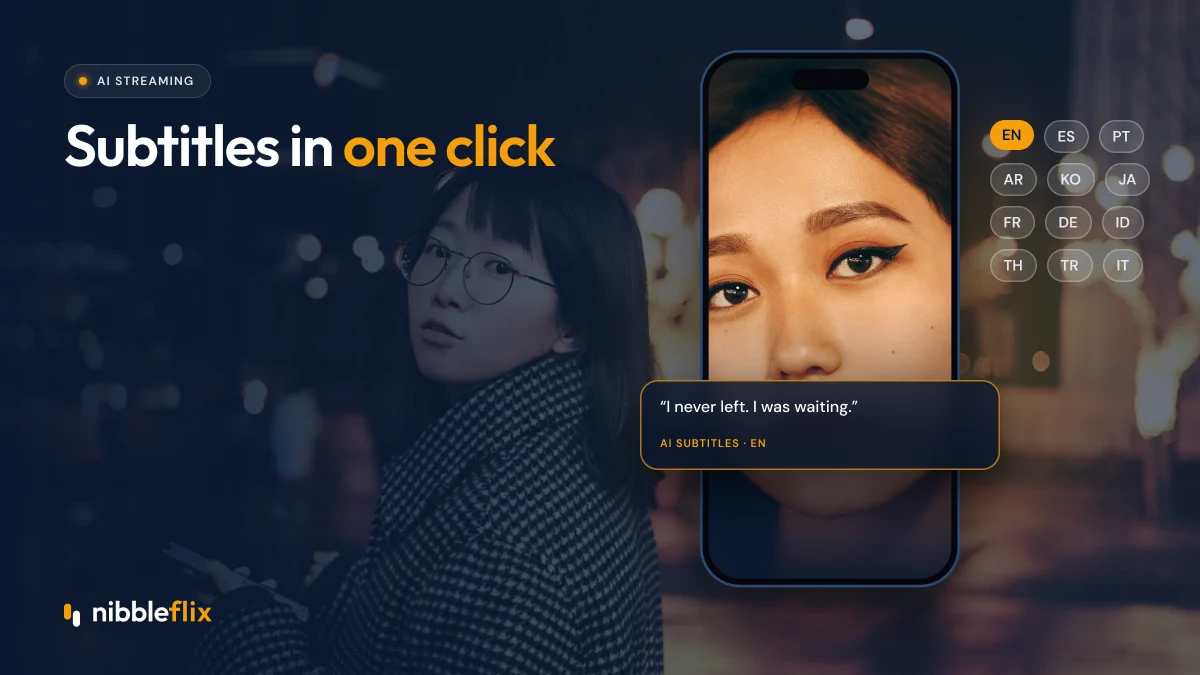
NibbleFlix includes AI subtitles in 12 languages, along with AI dubbing, AI metadata generation and AI trailer generation. You upload an episode in the admin dashboard, generate subtitles, review them, and publish to your branded apps on iOS, Android, web and smart TVs without code. For more ideas, see five AI tools every streaming service should use.
Key takeaways
- AI subtitles cut the time and cost of localization dramatically.
- They work best on clear dialogue and large libraries, with a light human review.
- Slang, names, overlapping speech and right-to-left scripts need extra checks.
- Start with subtitles, then add dubbing in markets that prove demand.
Want to see AI subtitles running on your own episodes? Book a demo and try it with your content.
Frequently asked questions
Are AI subtitles accurate enough for streaming?
For most content in major languages, yes, when combined with a light human review. AI handles clear dialogue well but can miss slang, humor, names and overlapping speech. Reviewing the first episode of each series fully and spot-checking the rest keeps quality high without the cost of full human subtitling.
How long does AI subtitling take?
Generation usually takes minutes to a few hours per episode, depending on length and the number of languages. The human review step takes longer, but it is still far faster than traditional subtitling, which can take days or weeks per batch. That makes same-day releases in several languages realistic.
Which subtitle formats do streaming apps use?
The most common formats are SRT and WebVTT. WebVTT is widely used for web and HLS streaming, while SRT is a simple, popular format that most tools can import and export. Your streaming platform should accept standard files and handle display across mobile, web and smart TV apps.
Should I use AI subtitles or AI dubbing?
Start with subtitles if you want to test a market quickly and cheaply, or if viewers there are used to reading subtitles. Choose dubbing for mass audiences that prefer local audio, such as Germany, Spain, Italy and Brazil. Many services use subtitles first, then add dubbing for proven titles.