
In this article
- Why Roku belongs in your device plan
- How to launch a Roku channel: the five steps
- Step 1: Developer account and test device
- Step 2: Roku channel development options
- Roku certification: what gets checked
- Roku app publishing and your store listing
- Roku monetization options
- Launching on Roku with NibbleFlix
- Key takeaways
- Frequently asked questions
- How long does it take to launch a Roku channel?
- Do I need to know BrightScript to publish on Roku?
- Can I run ads in my Roku app?
- Is Roku worth it outside the United States?
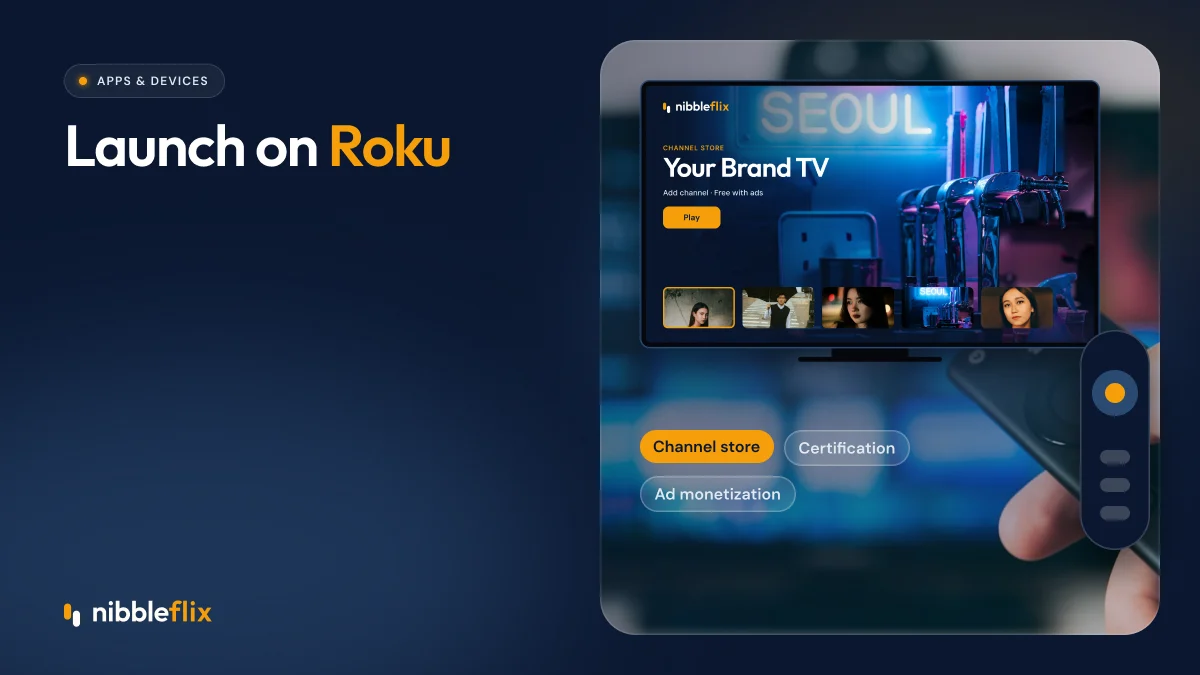
If you run a streaming service, the TV in the living room is where long viewing sessions happen. Roku is one of the most common streaming platforms on those TVs, so knowing how to launch a Roku channel is a practical next step once your mobile and web apps are live.
The short answer: to launch a Roku channel, you build a Roku app (in BrightScript and SceneGraph, or through a white-label platform), test it against Roku’s certification requirements, submit it through the Roku developer dashboard, and connect your monetization before it goes public.
This guide walks through each step, the common mistakes, and how to avoid building and maintaining Roku code yourself.
Why Roku belongs in your device plan
Mobile apps bring discovery and impulse viewing. TV apps bring longer sessions, co-viewing and higher-value ad inventory. Viewers who watch on a big screen tend to treat a service as a habit, not a one-off.
Roku is especially relevant if you target North America, and it also matters in some European and Latin American markets. If you are planning a free ad-supported or linear service, a TV presence is close to essential. Our guide to what a FAST channel is and how to launch one explains why.
The question is rarely whether to be on TV. It is which TV platforms come first and how much engineering effort each one takes.
How to launch a Roku channel: the five steps
Roku now calls channels “apps” in most of its materials, but the process is the same. Here is the sequence most teams follow.
- Create a Roku developer account. Register your business, accept the developer agreement and enable developer mode on a test device.
- Build the app. Either write it in BrightScript and SceneGraph or use a platform that already has a certified Roku app template.
- Prepare your content and metadata. Artwork in the right sizes, titles, descriptions, ratings and a content feed the app can read.
- Test against certification criteria. Performance, deep linking, playback, navigation and account flows are all checked.
- Submit, fix and publish. Submit through the developer dashboard, respond to any feedback and choose your release date.
Step 1: Developer account and test device
Set up the account under your company name, not a freelancer’s. That way the store listing, payouts and viewer relationship stay with you. This is the same principle as owning your App Store and Google Play listings.
Step 2: Roku channel development options
Roku channel development is its own skill set. BrightScript is a language used almost only on Roku, so mobile or web developers need time to learn it. Many teams outsource it, which adds a separate codebase to maintain for every future feature.
The alternative is a white-label platform where the Roku app is one output of a shared backend. You manage your catalog once and it appears on Roku, iOS, Android, web and other TVs. See the full list on our supported devices page.
| Approach | Skills needed | Ongoing effort | Best for |
|---|---|---|---|
| Custom build in-house | BrightScript, SceneGraph, video engineering | High: every feature built per platform | Large media groups with TV engineering teams |
| Outsourced agency build | Vendor management, QA | Medium to high: change requests and retainers | Services with a fixed spec and budget |
| White-label platform | Content and branding only | Low: updates ship across all apps | Founders, content owners and broadcasters who want speed |
Roku certification: what gets checked
Roku certification is where many first submissions slow down. Roku reviews apps for quality and policy compliance before they appear in its store. The exact checklist changes over time, so always read the current requirements, but these areas come up again and again.
- Performance: the app must launch quickly and stay responsive on lower-powered devices.
- Deep linking: viewers who tap a title in Roku search should land directly on that content.
- Playback: streams must start reliably, resume correctly and handle network drops.
- Navigation: the remote’s back and home buttons must behave as Roku expects.
- Account and billing flows: sign-up, sign-in and subscription screens must follow Roku’s rules.
- Content and metadata: accurate descriptions, ratings and artwork with no broken assets.
Most rejections come from small things: a missing artwork size, a back button that exits the app, or a deep link that opens the home screen. Testing on a real, older Roku device catches most of these before submission.
Roku app publishing and your store listing
Roku app publishing happens in the developer dashboard. You add your listing details, set the countries where the app is available and pick a category. Think of the listing like an app store page: a clear name, a one-line promise and artwork that shows the type of content you offer.
Plan your country list carefully. Rights for some titles may be limited to certain territories, so your catalog rules and your store availability need to match. A good CMS lets you set territory rules per title so the app only shows what each viewer is allowed to watch.
You can also choose a beta or private release first. This is useful for testing with a small group before the public launch.
Roku monetization options
Your Roku app should use the same business model as your other apps, so viewers get one account and one price everywhere. The common options on TV are:
- Subscriptions (SVOD): monthly or annual plans. Roku offers its own billing, and its rules apply to purchases made inside the app.
- Advertising (AVOD): free viewing funded by ads. Check Roku’s ad policies, which set how ads are served in apps on the platform.
- Rentals and purchases (TVOD): pay per title, popular for films and live events.
- Hybrid: a free ad-supported tier plus a paid ad-free tier, which is often the strongest setup on TV.
Platform fees and billing rules differ between Roku, Apple and Google, so model your pricing per platform. Our monetization options page shows how hybrid models work inside one app, and the article on SVOD, AVOD and TVOD compares them in more detail.
Launching on Roku with NibbleFlix
NibbleFlix is a white-label streaming platform. You launch your own branded apps on iOS, Android, web, PWA and smart TVs including Roku, Apple TV, Android TV, Amazon Fire TV, Samsung and LG, all from one admin dashboard.
There is no code to write and no in-house tech team needed. You upload episodes, set prices and schedule releases in the CMS, and those changes appear across every app. The store listings are under your name, and the viewer data and revenue are yours.
For FAST and linear services, built-in EPG and server-side ad insertion (SSAI) make Roku a natural home for channels. Launch support is included, so you are not alone when certification feedback comes back.
Key takeaways
- Learning how to launch a Roku channel comes down to five steps: account, build, content, certification and publishing.
- BrightScript is a specialist skill, so a custom build adds a separate codebase to maintain.
- Most certification issues are small and caught by testing on real, older devices.
- Use the same accounts and pricing on Roku as on mobile and web, and model platform fees per store.
- A white-label platform lets you ship Roku alongside every other TV and mobile app from one dashboard.
Want to see your service on Roku and every other big screen without writing code? Book a demo and we will walk you through the launch plan.
Frequently asked questions
How long does it take to launch a Roku channel?
Building from scratch with a developer can take several months, plus time for Roku certification and fixes. With a white-label platform, the app is already built and tested against Roku requirements, so most of the work is branding, content and store details. Certification review time still applies, so plan a buffer before any launch marketing.
Do I need to know BrightScript to publish on Roku?
Only if you build the app yourself. Roku apps are written in BrightScript and SceneGraph, which few web or mobile developers know well. A white-label platform handles that code for you, so your team works in an admin dashboard instead of an IDE and never touches the Roku SDK directly.
Can I run ads in my Roku app?
Yes. Ad-supported apps are common on Roku, and many services run free, ad-funded tiers alongside subscriptions. Roku has its own rules and tooling for ads inside apps, so check the current ad policy before you plan inventory. Server-side ad insertion also works well for live and linear streams on TV.
Is Roku worth it outside the United States?
It depends on your market. Roku has a strong position in the US and is present in several other countries, including parts of Europe and Latin America. Check device share in your target countries. Most services launch on several TV platforms, such as Fire TV, Android TV, Samsung and LG, to cover the gaps.